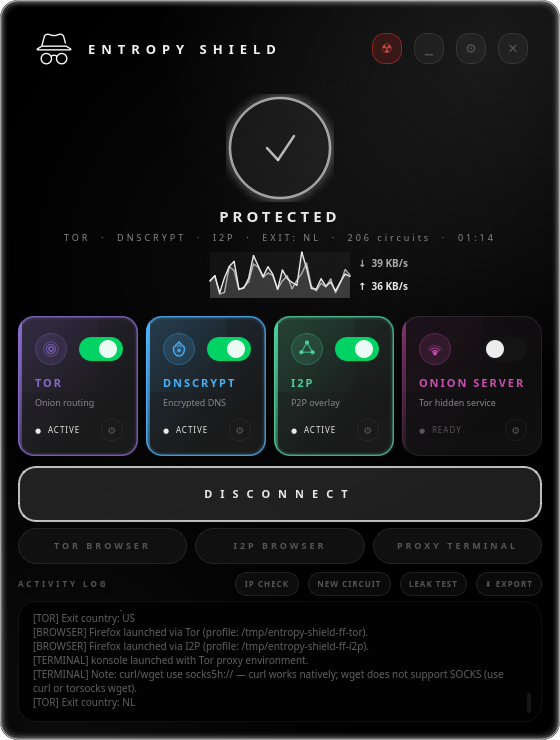
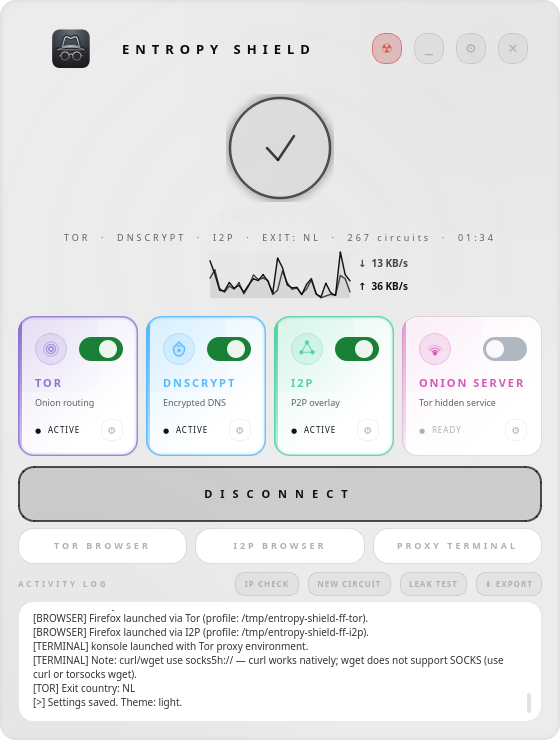
A modern Linux desktop privacy stack combining Tor, DNSCrypt, I2P, and Onion Server — controlled through a single polished GUI.
Stop wrestling with configs. Entropy Shield orchestrates your entire privacy stack with zero residue.
Combine Tor, DNSCrypt, I2P, and Onion Server in any combination. Each layer adds a dimension of anonymity — use one or all four simultaneously.
nftables and iptables rules are applied at connect and cleanly removed at disconnect. Your firewall state is always consistent and predictable.
Separate ip6 table rules block all IPv6 traffic under Tor, preventing leaks through a protocol Tor's TransPort cannot handle.
Publish any local directory as a Tor hidden service. Choose a folder, click connect, and your .onion address appears in the activity log.
Launch isolated Firefox instances pre-configured for Tor or I2P with WebRTC disabled. Your normal browser profile is never touched.
All config changes are backed up before modification and restored on disconnect. Entropy Shield leaves your system exactly as it found it.
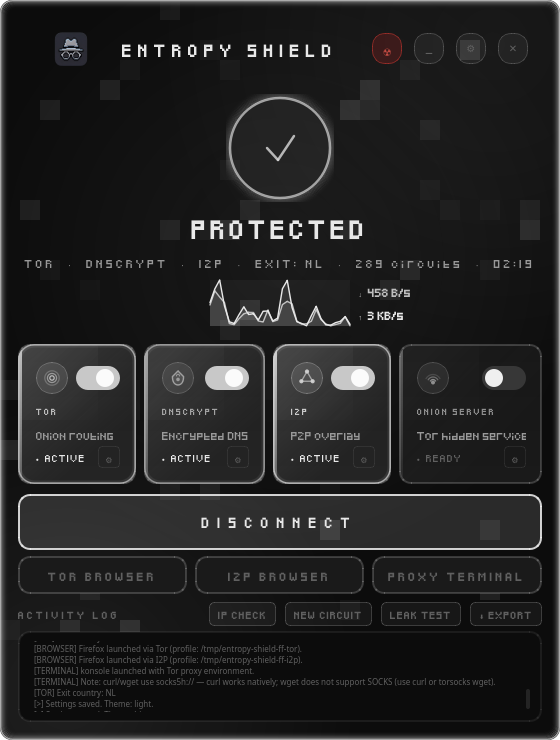
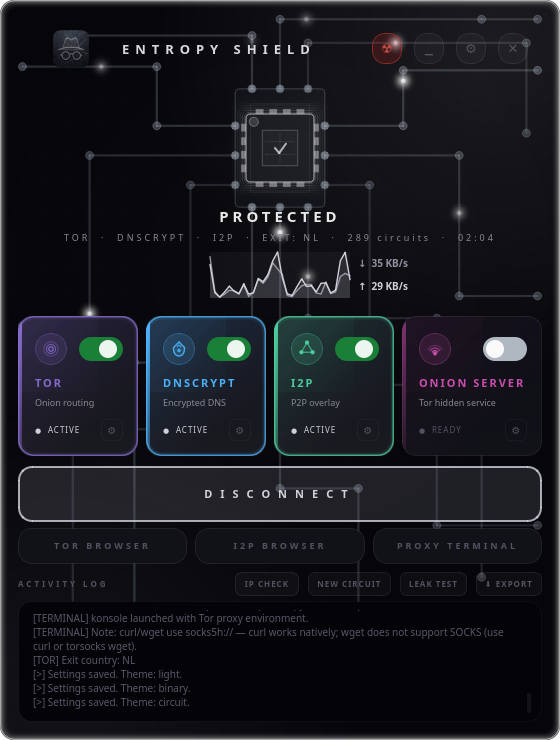
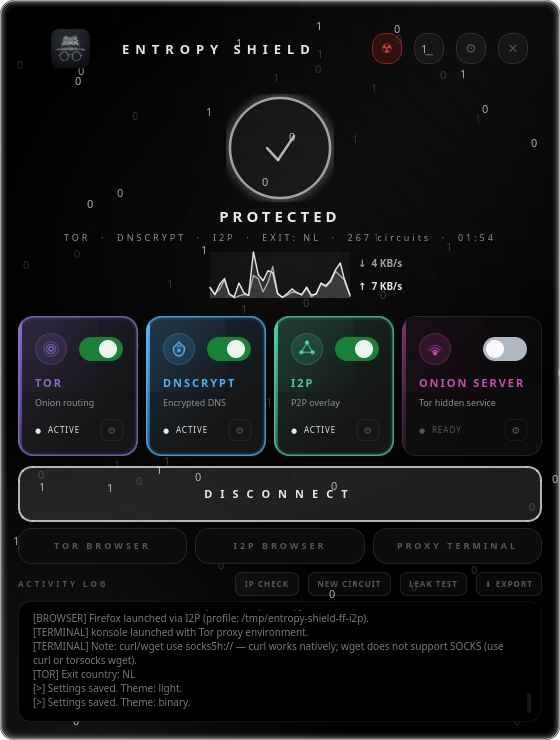
OLED, Pixel, Circuit, Binary, and Light — each with a unique visual identity and matching logo. Switch in one click.
Minimize to tray and keep Entropy Shield running in the background. Disconnect or quit directly from the notification area icon.
Declarative NixOS module with no mutable config patching. Services are on-demand systemd units — they never auto-start at boot.
Every theme ships its own logo and color palette. Click to apply — the whole page transforms.
Each layer is independent and configurable. Stack them for maximum anonymity or use only what you need.
Routes all TCP traffic through the Tor network using nftables REDIRECT rules. DNS queries are redirected to Tor's DNSPort. All IPv6 is blocked to prevent leaks. Supports custom exit nodes and StrictNodes.
Encrypts DNS queries via dnscrypt-proxy. Redirects both IPv4 and IPv6 DNS traffic through the proxy. Enforces no-log and no-filter server requirements. Integrates with systemd-resolved via resolvectl.
Starts i2pd and configures HTTP/SOCKS proxies. With redsocks installed, enables full transparent proxy mode for all TCP. Combined with Tor, I2P traffic tunnels through Tor's SOCKS port for extra anonymity.
Starts a built-in HTTP file server and publishes it as a Tor hidden service. Choose any directory to serve — its contents become accessible at a .onion address shown in the activity log. Requires Tor (enforced automatically).
Universal installer auto-detects your distribution and handles everything — packages, polkit, desktop entry, and more.
# Recommended — auto-detects your distro git clone https://github.com/berk-kucuk/entropy-shield.git cd entropy-shield bash installers/install.sh # Override distro detection if needed: # DISTRO_ID=arch bash installers/install.sh
# Arch Linux — install from AUR with paru paru -S entropy-shield # Or with yay: yay -S entropy-shield
entropy-shield from your terminal or application menu.# Arch Linux · Manjaro · EndeavourOS · Garuda git clone https://github.com/berk-kucuk/entropy-shield.git cd entropy-shield bash installers/install-arch.sh # To install via AUR → see the "AUR (Paru / Yay)" tab
# Debian · Ubuntu · Linux Mint · Kali · Pop!_OS git clone https://github.com/berk-kucuk/entropy-shield.git cd entropy-shield bash installers/install-debian.sh
# Fedora · RHEL · AlmaLinux · Rocky Linux git clone https://github.com/berk-kucuk/entropy-shield.git cd entropy-shield bash installers/install-fedora.sh
# NixOS — generates declarative module git clone https://github.com/berk-kucuk/entropy-shield.git cd entropy-shield bash installers/install-nixos.sh # Automatically added to /etc/nixos/configuration.nix: # imports = [ ./entropy-shield.nix ];
# Manual / development install git clone https://github.com/berk-kucuk/entropy-shield.git cd entropy-shield pip install PyQt6 sudo python3 main.py
entropy-shield from your application menu or terminal. The app requests elevated privileges via pkexec on first launch — subsequent launches authenticate transparently without a password dialog.Each privacy service has its own module. The GUI is fully decoupled from the core logic.
entropy-shield/ ├── main.py # entry point — pkexec privilege escalation ├── core/ │ ├── config.py # JSON config with deep-merge defaults │ ├── connection.py # orchestrates all layers (connect/disconnect) │ ├── tor.py # torrc patching, DNS redirect, systemd control │ ├── dnscrypt.py # dnscrypt-proxy config, IPv6, resolved │ ├── i2p.py # i2pd config, redsocks transparent proxy │ ├── onion_server.py # hidden service + built-in HTTP file server │ ├── browser.py # isolated Firefox launcher (Tor / I2P) │ ├── firewall.py # nftables / iptables, IPv6 leak prevention │ ├── tray_helper.py # system tray subprocess (runs as real user) │ └── platform.py # NixOS detection, firewall backend selection ├── gui/ │ ├── main_window.py # main window, animated glow border, worker thread │ ├── settings_panel.py # slide-in settings overlay │ ├── themes.py # 6 themes: oled/dark/pixel/circuit/binary/light │ └── widgets.py # ServiceCard, StatusRing, Spinner, ToggleSwitch ├── logos/ │ └── *.png # per-theme logo assets └── installers/ ├── install.sh # universal distro-detecting installer ├── install-arch.sh ├── install-debian.sh ├── install-fedora.sh └── install-nixos.sh
One installer, five ecosystems, zero headaches.
Entropy Shield orchestrates every service in the correct order — connect and disconnect are fully atomic operations.
Toggle the service cards you want: Tor, DNSCrypt, I2P, Onion Server — any combination works.
Configs are patched, services are started via systemctl, and firewall rules are applied atomically.
systemd-resolved is pointed at the active proxy via resolvectl — no manual resolv.conf editing.
nftables REDIRECT rules transparently route all TCP through your chosen layers. IPv6 is blocked under Tor.
Rules flushed, services stopped, all config files restored from backup. Zero residue on your system.
.entropy-shield.bak suffixsystemctl restart in dependency orderresolvectlresolvectltable ip and table ip6systemctl stop.entropy-shield.bak backupsLaunch pre-configured Firefox instances for Tor or I2P. Your normal profile is never touched, never contaminated.
Isolated Firefox instance routed through Tor's SOCKS5 proxy with remote DNS resolution.
Isolated Firefox instance routed through I2P's HTTP and SOCKS proxies with the router console as homepage.
Every scenario is covered — IPv4 and IPv6 DNS traffic is locked down regardless of which layers are active.
| Scenario | IPv4 DNS | IPv6 DNS | Direct IPv6 |
|---|---|---|---|
| Tor active | → Tor DNSPort | Stack blocked | Blocked (ip6 DROP) |
| DNSCrypt active | → dnscrypt-proxy | → [::1]:port | Unrestricted |
| I2P active | System default | System default | Unrestricted |
| Tor + DNSCrypt | → dnscrypt-proxy | Stack blocked | Blocked (ip6 DROP) |
| Tor + I2P | → Tor DNSPort | Stack blocked | Blocked (ip6 DROP) |
| All layers | → dnscrypt-proxy | Stack blocked | Blocked (ip6 DROP) |
Settings stored at ~/.config/entropy-shield/config.json — editable via the in-app Settings panel or directly.
{
"theme": "oled",
"tor": {
"trans_port": 9040,
"dns_port": 5300,
"socks_port": 9050,
"exit_nodes": "",
"strict_nodes": false
},
"dnscrypt": {
"port": 5353,
"require_dnssec": false,
"require_nolog": true,
"require_nofilter": true
},
"i2p": {
"http_port": 4444,
"socks_port": 4447,
"max_bandwidth": 0
},
"onion_server": {
"local_port": 8080,
"hs_port": 80,
"serve_dir": ""
}
}
Entropy Shield is a general-purpose privacy and anonymity tool intended for legitimate use cases such as protecting personal data, bypassing censorship in restrictive regions, security research, and educational purposes.
You are solely responsible for how you use this software. The author and contributors do not endorse, encourage, or support any illegal activity. Use of Entropy Shield to violate any applicable law — including but not limited to unauthorized access to computer systems, distribution of illegal content, or circumvention of lawful restrictions — is strictly prohibited.
This software is provided "as is", without warranty of any kind, express or implied. The author makes no guarantee of anonymity or security. Network anonymity tools reduce exposure but cannot guarantee complete protection against all adversaries. Always assess your own threat model.
By downloading or using Entropy Shield, you confirm that you are in compliance with all laws applicable to your jurisdiction and that you accept full legal responsibility for your actions.